Top Educational Websites and Apps for Student Success Detail Guide – Shala Darpan
Introduction

In an age where information is at our fingertips, education has transformed dramatically. The traditional classroom is no longer the sole place of learning; students now have access to a multitude of resources online. From interactive learning platforms to mobile apps designed to enhance study habits, technology has paved the way for innovative educational opportunities. Top Educational Websites and Apps for Student Success.
For students, navigating this digital landscape can be overwhelming. However, the right websites and applications can make a world of difference in achieving academic success. These tools cater to diverse learning styles and subjects, making education more engaging and accessible. Whether you’re a high school student preparing for college, a college student striving for excellence, or a lifelong learner seeking new knowledge, understanding the best educational resources can empower you to reach your goals.
This blog post explores the top educational websites and apps that promote student success. We will delve into their features, benefits, and how they can be effectively integrated into your study routine. With these resources at your disposal, you can elevate your learning experience and achieve your academic aspirations.
You May Also Like It:
Innovative Teaching Strategies: Transforming Classroom Experiences – Shala Darpans
The Role Of Technology In Modern Education: Tools For Success – Shala Darpans
After-School Programs: Bridging the Gap in Education – Shala Darpans
Khan Academy
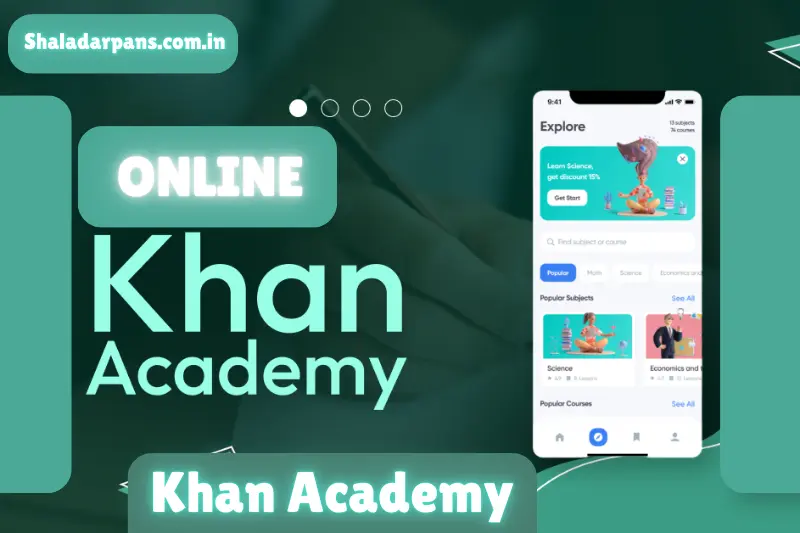
Overview:
- Khan Academy is a non-profit educational platform that provides free online courses, lessons, and practice exercises across a variety of subjects. Founded in 2008 by Salman Khan, the platform’s mission is to offer a free, world-class education for anyone, anywhere. Khan Academy covers topics ranging from mathematics and science to humanities and arts.
Key Features:
- Comprehensive Content: Khan Academy boasts a vast library of instructional videos and practice exercises. The content is designed for learners of all ages, making it suitable for students from elementary school to college.
- Personalized Learning: The platform uses an adaptive learning algorithm to tailor lessons to individual student needs. This personalized approach helps students focus on areas that require more attention.
- Progress Tracking: Students can track their progress through various subjects, allowing them to set goals and stay motivated. This feature is particularly beneficial for self-directed learners who want to monitor their improvement over time.
Benefits:
- Khan Academy’s free resources make it accessible to everyone, regardless of their financial situation. The platform’s engaging videos simplify complex concepts, making learning enjoyable. Furthermore, the ability to learn at one’s own pace is invaluable, especially for students who may need additional time to grasp certain topics.
How to Use Khan Academy Effectively:
- Set Clear Goals: Determine what subjects you want to focus on and set specific goals for your learning journey.
- Create a Study Schedule: Regularly dedicate time to study on Khan Academy, ensuring consistent progress.
- Utilize Practice Exercises: Engage with the interactive practice problems to reinforce your understanding and application of the material.
Coursera
Overview:
- Coursera is an online learning platform that partners with top universities and organizations to offer a wide range of courses and degree programs. Founded in 2012 by Daphne Koller and Andrew Ng, Coursera provides learners with access to high-quality educational content from renowned institutions.
Key Features:
- Diverse Course Offerings: Coursera offers thousands of courses across various fields, including business, computer science, arts, and health. Learners can choose from free courses or pay for certificates and degrees.
- Engaging Learning Experience: Courses often include video lectures, interactive quizzes, and peer-reviewed assignments, creating an engaging learning environment.
Flexible Learning Paths: Students can learn at their own pace, with many courses allowing for a flexible schedule. This flexibility is especially beneficial for working professionals or those with busy lifestyles.
Benefits:
- Coursera’s collaboration with prestigious universities ensures that students receive top-notch education and training. Additionally, the option to earn certificates or even degrees adds value to resumes and career prospects. With Coursera, learners can gain skills that are directly applicable in the workforce.
How to Use Coursera Effectively:
- Explore Course Catalog: Browse through various categories to find courses that align with your interests and career goals.
- Engage Actively: Participate in discussions, complete assignments, and engage with fellow learners to enhance your understanding of the material.
- Leverage Financial Aid: If you’re interested in a paid course but have financial constraints, consider applying for financial aid available for many courses.
You May Also Like It:
Inclusive Education: Strategies for Supporting Diverse Learners – A Comprehensive Guide
Community Engagement in Schools: Building Partnerships for Success – Shala Darpans
The Impact Of Early Childhood Education: Setting The Foundation For Lifelong Learning
Quizlet
Overview:
- Quizlet is a popular online learning tool that allows students to create, share, and study from flashcards and study sets. Founded in 2005, Quizlet focuses on making studying interactive and fun, catering to various learning styles.
Key Features:
- Customizable Study Tools: Users can create their own flashcards, quizzes, and games tailored to specific subjects. The platform also offers pre-made study sets created by other users.
- Multiple Study Modes: Quizlet features several study modes, including flashcards, practice tests, and games like “Match” and “Gravity,” making learning engaging.
- Collaboration: Students can collaborate with classmates, sharing study materials and quizzing each other.
Benefits:
- Quizlet’s interactive approach to studying helps reinforce learning through active recall and spaced repetition. The platform’s versatility allows students to use it for various subjects, making it an essential tool for effective studying.
How to Use Quizlet Effectively:
- Create Study Sets: Make flashcards for key concepts, terms, or vocabulary to enhance retention.
- Use Different Modes: Explore various study modes to find what works best for you, whether it’s flashcards for quick recall or games for more engaging practice.
- Join Study Groups: Collaborate with peers by sharing study sets and quizzing each other to deepen understanding.
Duolingo
Overview:
- Duolingo is a language-learning app that offers a fun and engaging way to learn new languages. Launched in 2011, Duolingo uses gamification to keep learners motivated, making language acquisition accessible and enjoyable.
Key Features:
Wide Range of Languages: Duolingo offers courses in over 30 languages, catering to diverse language learners.
- Interactive Learning: The app includes interactive exercises, listening tasks, and speaking challenges that promote active engagement with the language.
- Progress Tracking: Duolingo tracks your progress, awarding points and achievements as you complete lessons, encouraging consistent practice.
Benefits:
- Duolingo’s gamified approach makes language learning less intimidating and more enjoyable. The app’s bite-sized lessons are perfect for busy students, allowing for quick learning sessions throughout the day.
How to Use Duolingo Effectively:
- Set Daily Goals: Commit to practicing a certain amount of time each day to build consistency.
- Practice Speaking and Listening: Use the speaking and listening exercises to improve pronunciation and comprehension skills.
- Join the Community: Participate in discussions or forums within the app to enhance your learning experience and connect with other language learners.
Grammarly
Overview:
- Grammarly is an online writing assistant that helps students improve their writing skills. Launched in 2009, the tool offers real-time grammar, punctuation, and style suggestions, making it an invaluable resource for students.
Key Features:
- Grammar and Spelling Checks: Grammarly identifies grammatical errors, spelling mistakes, and punctuation issues, providing suggestions for correction.
- Style and Clarity Suggestions: The tool offers insights on writing style and clarity, helping users enhance the overall quality of their writing.
- Plagiarism Detection: Grammarly’s premium version includes a plagiarism checker, ensuring that students submit original work.
Benefits:
- Grammarly’s real-time feedback helps students develop stronger writing skills, which are essential for academic success. By receiving instant suggestions, learners can improve their writing before submission, leading to better grades.
How to Use Grammarly Effectively:
- Integrate with Writing Platforms: Use Grammarly as a browser extension or integrate it with writing software like Microsoft Word to receive feedback as you write.
- Review Suggestions Carefully: Take the time to understand the suggestions made by Grammarly to enhance your writing skills over time.
- Utilize the Plagiarism Checker: For important assignments, use Grammarly’s plagiarism detection feature to ensure your work is original.
edX
Overview:
- edX is an online learning platform that offers courses from universities and institutions around the globe. Founded in 2012 by Harvard and MIT, edX aims to provide accessible education to learners worldwide.
Key Features:
- High-Quality Courses: edX features a vast catalog of courses across diverse subjects, including computer science, business, and engineering, taught by experienced educators.
- MicroMasters and Professional Certificates: In addition to individual courses, edX offers MicroMasters programs and professional certificates that can help students advance their careers.
- Flexible Learning: Students can learn at their own pace, allowing for a personalized education experience.
Benefits:
- edX’s affiliation with reputable institutions guarantees a high standard of education. The option to earn certificates or credentials adds value to a student’s resume, enhancing career prospects.
How to Use edX Effectively:
- Choose Courses Wisely: Select courses that align with your career goals or personal interests to ensure a meaningful learning experience.
- Engage with the Community: Participate in discussion forums and connect with peers to enhance your understanding of course materials.
- Track Your Progress: Utilize edX’s progress tracking features to stay motivated and ensure you complete your courses.
Google Classroom

Overview:
- Google Classroom is a free online learning platform that facilitates communication and collaboration between teachers and students. Launched in 2014, Google Classroom streamlines the assignment process and fosters a more organized learning environment.
Key Features:
- Assignment Management: Teachers can easily create, distribute, and grade assignments within the platform, allowing for a seamless workflow.
- Collaboration Tools: Students can collaborate on projects and communicate with peers and teachers through the platform, promoting teamwork and engagement.
- Integration with Google Workspace: Google Classroom integrates with various Google tools, such as Google Drive and Google Docs, enhancing productivity and efficiency.
Benefits:
- Google Classroom simplifies the learning process, making it easier for students to keep track of assignments and deadlines. The collaborative features encourage communication and teamwork, essential skills for academic success.
How to Use Google Classroom Effectively:
- Stay Organized: Regularly check the platform for assignments, announcements, and resources to stay informed.
- Engage Actively: Participate in discussions and collaborate with classmates on group projects to enhance learning.
- Utilize Google Tools: Take advantage of integrated Google tools to create and submit high-quality assignments.
StudyBlue
Overview:
- StudyBlue is a study app that allows students to create and share flashcards, study guides, and notes. Founded in 2009, StudyBlue aims to enhance the studying experience by promoting collaborative learning.
Key Features:
- Flashcard Creation: Students can create custom flashcards for various subjects, making it easier to study and retain information.
- Study Materials Library: Users can access a vast library of study materials created by other students, providing additional resources for learning.
- Quizzing Features: StudyBlue includes quizzing features to test knowledge and reinforce learning.
Benefits:
- StudyBlue’s collaborative approach to studying encourages students to engage with their peers and share knowledge. The app’s versatility makes it suitable for various subjects and learning styles.
How to Use StudyBlue Effectively:
- Create Custom Flashcards: Focus on key concepts and vocabulary to enhance retention and understanding.
- Explore Shared Study Materials: Utilize resources created by other students to complement your studying.
- Take Advantage of Quizzes: Use the quizzing features to test your knowledge and identify areas that require further review.
TED-Ed
Overview:
TED-Ed is an educational platform that provides animated videos and lessons on various topics. Launched in 2012, TED-Ed aims to spark curiosity and foster a love for learning through engaging content.
Key Features:
- Animated Lessons: TED-Ed features visually appealing animations that simplify complex concepts, making learning enjoyable.
- Curated Content: The platform curates videos from a wide range of subjects, ensuring quality and relevance.
- Discussion Tools: TED-Ed encourages discussions around lessons, allowing students to engage critically with the material.
Benefits:
- TED-Ed’s engaging approach to education captivates learners, making it easier to grasp difficult concepts. The platform’s focus on curiosity and exploration promotes a lifelong love for learning.
How to Use TED-Ed Effectively:
- Explore Diverse Topics: Browse through TED-Ed’s extensive library to find videos that interest you and complement your studies.
- Participate in Discussions: Engage with peers in discussions about lessons to enhance understanding and encourage critical thinking.
- Create Custom Lessons: Use TED-Ed’s tools to create your own lessons, combining videos and questions to reinforce learning.
Microsoft OneNote
Overview:
- Microsoft OneNote is a digital note-taking app that allows students to organize notes, ideas, and resources in one place. Launched in 2003, OneNote aims to enhance productivity and organization for learners.
Key Features:
- Organized Notebooks: Students can create multiple notebooks, sections, and pages to keep their notes organized and easily accessible.
- Collaboration Tools: OneNote enables collaboration with classmates, allowing users to share notes and work together on projects.
- Multimedia Support: Users can incorporate images, audio recordings, and files into their notes, creating a comprehensive study resource.
Benefits:
- OneNote’s organizational features help students keep their materials in order, reducing stress during exam preparation. The collaborative tools promote teamwork and enhance the learning experience.
How to Use OneNote Effectively:
- Organize Your Notes: Create a structure that works for you, using sections and pages to categorize information by subject or topic.
- Utilize Multimedia Features: Enhance your notes by incorporating images, audio recordings, and links to relevant resources.
- Collaborate with Peers: Share your notebooks with classmates to collaborate on group projects and study sessions.
Conclusion
The digital age has revolutionized education, offering students an array of resources to enhance their learning experience. From interactive platforms like Khan Academy and Coursera to collaborative tools like Google Classroom and Microsoft OneNote, these educational websites and apps provide invaluable support for academic success.
By leveraging these resources, students can develop effective study habits, improve their writing skills, and explore new subjects at their own pace. The key to success lies in utilizing these tools effectively and integrating them into your study routine. As you navigate the vast landscape of educational technology, remember that the goal is not just to absorb information but to foster a love for learning that extends beyond the classroom.
Bonus Points for Student Success
- Set Goals: Define clear academic goals to stay motivated and focused. Use educational tools to track your progress toward these goals.
- Stay Organized: Utilize digital planners or note-taking apps like Microsoft OneNote or Google Keep to manage your assignments, deadlines, and study schedules.
- Join Online Study Groups: Collaborate with classmates through platforms like Google Classroom or Zoom to share knowledge, discuss topics, and support each other in learning.
- Explore Learning Styles: Experiment with different educational apps and resources to find what works best for your learning style, whether it’s visual, auditory, or kinesthetic.
- Use Social Media Wisely: Follow educational accounts on platforms like Twitter or Instagram for tips, study hacks, and motivational content to inspire your learning journey.
- Take Breaks: Incorporate short breaks during study sessions to improve focus and retention. Use techniques like the Pomodoro Technique for effective time management.
- Stay Curious: Cultivate a love for learning by exploring new subjects and topics outside your curriculum using resources like TED-Ed or Khan Academy.
- Practice Self-Care: Prioritize mental and physical health by maintaining a balanced lifestyle. Exercise, sleep, and healthy eating contribute to better concentration and academic performance.
- Seek Help When Needed: Don’t hesitate to ask for assistance from teachers, tutors, or online resources if you’re struggling with a concept or assignment.
- Reflect on Learning: Regularly assess what you’ve learned and identify areas for improvement. Keeping a learning journal can help track your growth and experiences.
You May Also Like It:
Sustainable Education: Initiatives Promoting Environmental Awareness in Schools
Promoting Mental Health Awareness in Schools: Strategies and Initiatives
The Future of STEM Education: Preparing Students for a Tech-Driven World
Parent Involvement in Education: Best Practices for Schools and Families